
Technology is now part of almost every daily routine. From smartphones and laptops to earbuds, chargers and smartwatches, the right accessories can make everyday tasks more convenient.
However, there are thousands of products available online, and choosing between different specifications, brands and prices can be difficult.
The good news is that you don’t need every gadget available.
The better approach is to identify what you actually need and then compare products based on compatibility, features, quality, convenience and value.
Here are some useful tech and gadget categories worth considering.
1. Wireless Earbuds
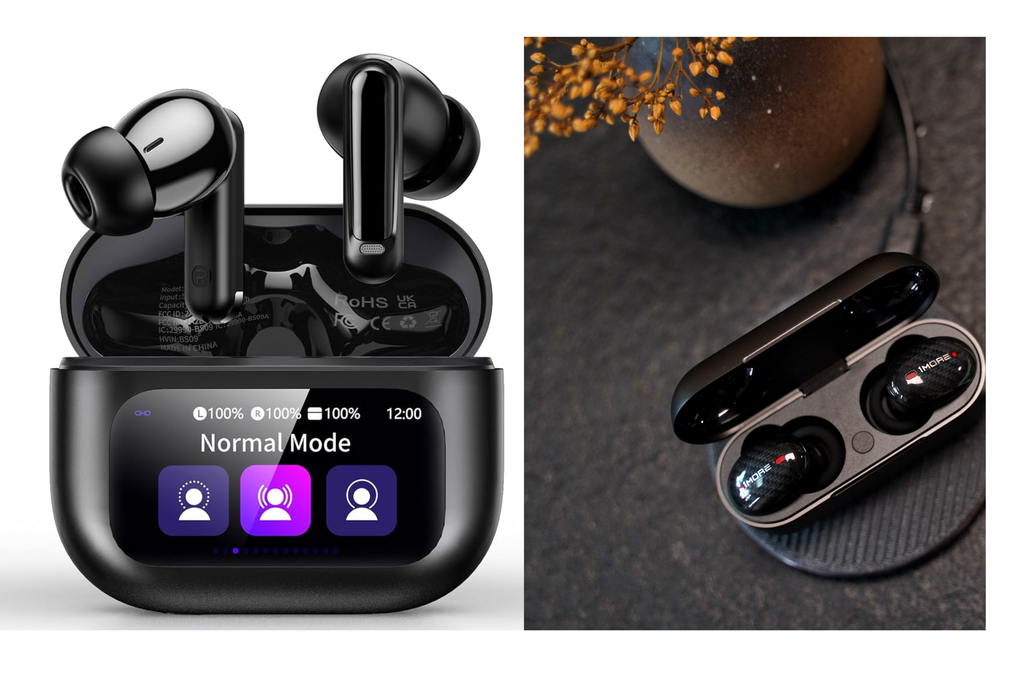
Wireless earbuds can be useful for music, podcasts, calls and everyday entertainment.
Before buying, consider:
- Battery life
- Charging case
- Bluetooth compatibility
- Comfort
- Microphone quality
- Water or sweat resistance if needed
- Controls and connectivity
Don’t choose earbuds based only on advertised battery life. Consider how you actually plan to use them.
2. Power Banks
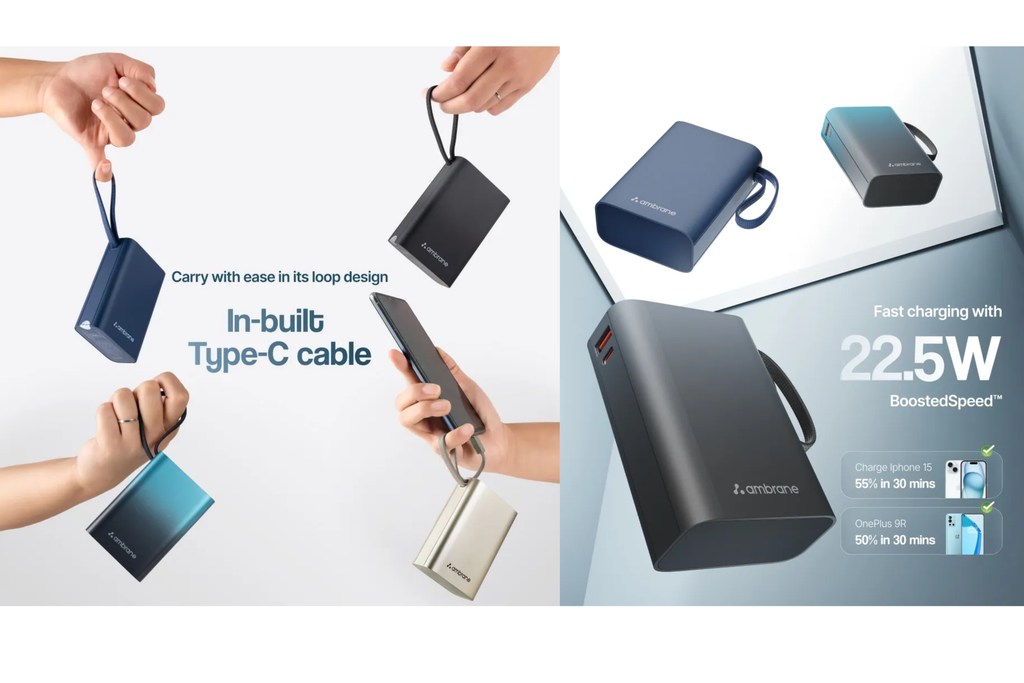
A power bank can be useful when you’re travelling, commuting or spending long periods away from a charging outlet.
What to check:
- Battery capacity
- Charging speed
- Number of output ports
- USB compatibility
- Size and weight
- Safety features
A larger capacity isn’t automatically better if the power bank becomes too heavy to carry.
3. Fast Chargers
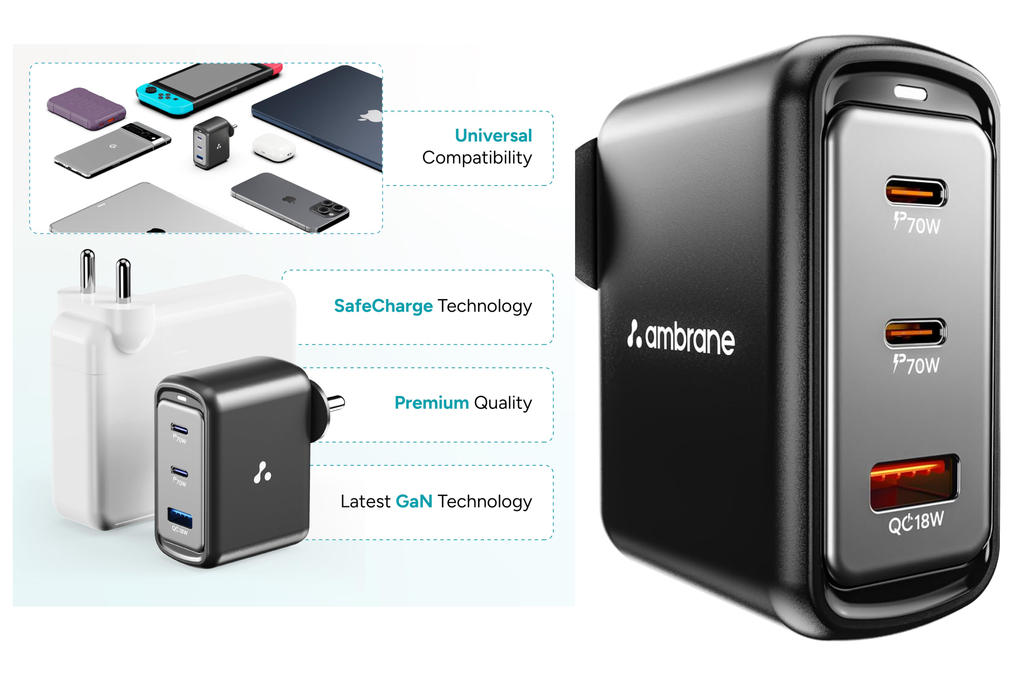
A good charger can make everyday charging more convenient.
Before buying, check:
- Supported charging standard
- Output power
- Number of ports
- USB-C compatibility
- Device compatibility
- Cable requirements
Make sure the charger is compatible with your specific device before purchasing.
4. Smartphone Accessories
There are many smartphone accessories available, but only some are genuinely useful.
Popular categories include:
- Phone cases
- Screen protectors
- Mobile stands
- Charging cables
- Wireless chargers
- Car phone holders
- Selfie stands
- USB adapters
Choose accessories based on your phone model and actual usage.
5. Smartwatches
A smartwatch can combine notifications, timekeeping, fitness-related features and other functions in one device.
Before buying, consider:
- Smartphone compatibility
- Battery life
- Display
- Notifications
- Fitness features
- Water resistance
- Strap availability
- App compatibility
Don’t pay extra for features you don’t expect to use.
6. Bluetooth Speakers
A portable Bluetooth speaker can be useful at home, outdoors or while travelling.
Important things to compare include:
- Battery life
- Size
- Weight
- Sound features
- Bluetooth connectivity
- Water resistance
- Charging method
Think about where you’ll use the speaker before choosing its size and features.
7. Laptop & Computer Accessories
If you work or study using a laptop, a few accessories can make your setup more comfortable.
Useful categories include:
- Wireless mouse
- Keyboard
- Laptop stand
- USB hub
- Webcam
- Laptop bag
- Desk lamp
- Headphones
Choose accessories that solve a specific problem rather than adding unnecessary equipment to your desk.
8. Smart Home Gadgets
Smart home technology continues to expand, but compatibility is important.
Examples include:
- Smart plugs
- Smart lights
- Smart speakers
- Security devices
- Smart displays
- Digital timers
Before buying, check whether the product works with your existing devices and preferred smart-home ecosystem.
How to Choose the Right Gadget
Before clicking the purchase button, ask yourself these questions:
Do I actually need it?
Avoid buying a gadget simply because it is trending.
Is it compatible?
Check compatibility with your smartphone, laptop, operating system or other devices.
Are the features useful?
More features don’t necessarily mean better value.
Is the size practical?
Consider whether you’ll carry or store the product regularly.
What about warranty and support?
Check the manufacturer’s warranty and available service information.
Have I compared alternatives?
Compare similar products before making your final choice.
Recommended Products to Consider
For your affiliate section, use real products that you have researched and verified, rather than making unsupported claims.
Wireless Earbuds
Best suited for: Music, calls and everyday listening
Why consider it:
Wireless earbuds can provide convenient audio without the need for wired connections.
Things to check:
- Battery life
- Comfort
- Microphone
- Bluetooth compatibility
👉 Check Price on Amazon
Power Bank
Best suited for: Travel and everyday mobile charging
Why consider it:
A portable power bank can provide additional charging when a wall outlet isn’t easily available.
Things to check:
- Capacity
- Output power
- Ports
- Size
- Safety features
👉 Check Price on Amazon
USB-C Fast Charger
Best suited for: Compatible smartphones, tablets and other devices
Things to check:
- Power output
- Charging standard
- Number of ports
- Device compatibility
👉 Check Price on Amazon
Laptop Stand
Best suited for: Home, office and study setups
Things to check:
- Laptop size compatibility
- Adjustability
- Stability
- Portability
- Material
👉 Check Price on Amazon
Tech Shopping Checklist
Before buying any gadget:
☑ Check compatibility
☑ Compare specifications
☑ Compare similar products
☑ Check warranty information
☑ Read genuine customer feedback
☑ Consider size and portability
☑ Think about how often you’ll use it
☑ Don’t buy unnecessary features
☑ Check return/exchange information
Final Thoughts
The best gadget isn’t necessarily the most expensive or the one with the longest list of features.
A good purchase should solve a real problem, work with your existing devices and provide useful value for your money.
Whether you’re shopping for earbuds, a power bank, a smartwatch, a charger or computer accessories, take a few minutes to compare the important features before making your decision.
Shop smart. Compare carefully. Choose what you actually need.